Showing posts with label Web Hacking. Show all posts

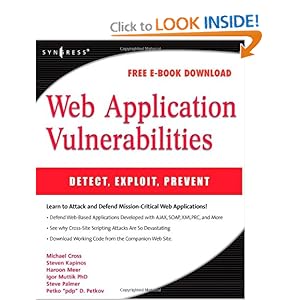
Web Application Vulnerabilities - Detect, Exploit, Prevent [PDF]

Web Application Vulnerabilities: Detect, Exploit, Prevent �Web Application Vulnerabilities: Detect, Exploit, Prevent� Syngress | 2007 | ISBN: 1597492094 9781597492096 9780080556642 | 476 pages | PDF | 17 MB This book describes how to make a computer bend to your will by finding and exploiting vulnerabilities specifically in Web applications. The book describes common security issues in Web applications, tells you how to find them, describes how to exploit them, and then tells you how to fix them. The book covers how and why some hackers (the bad guys) will try to exploit these vulnerabilities to achieve their own end. Author explains how to detect if hackers are actively trying to exploit vulnerabilities in your own Web applications. � Learn to defend Web-based applications developed with AJAX, SOAP, XMLPRC, and more. � See why Cross Site Scripting attacks can be so devastating. Contents Chapter 1 : Introduction to Web Application Hacking Introduction Web Application Architecture Components Complex Web Application Software Components Putting it all Together The Web Application Hacking Methodology The History of Web Application Hacking and the Evolution of Tools Summary Chapter 2 : Information Gathering Techniques Introduction The Principles of Automating Searches Applications of Data Mining Collecting Search Terms Summary Chapter 3 : Introduction to Server Side Input Validation Issues Introduction Cross Site Scripting (XSS) Chapter 4 : Client-Side Exploit Frameworks Introduction AttackAPI BeEF CAL9000 Overview of XSS-Proxy Summary Solutions Fast Track Frequently Asked Questions Chapter 5 : Web-Based Malware Introduction Attacks on the Web Hacking into Web Sites Index Hijacking DNS Poisoning (Pharming) Malware and the Web: What, Where, and How to Scan Parsing and Emulating HTML Browser Vulnerabilities Testing HTTP-scanning Solutions Tangled Legal Web Summary Solutions Fast Track Frequently Asked Questions Chapter 6 : Web Server and Web Application Testing with BackTrack Objectives Introduction Approach Core Technologies Open Source Tools Case Studies: The Tools in Action Chapter 7 : Securing Web Based Services Introduction Web Security Instant Messaging Web-based Vulnerabilities Buffer Overflows Making Browsers and E-mail Clients More Secure Securing Web Browser Software CGI Break-ins Resulting from Weak CGI Scripts FTP Security Directory Services and LDAP Security Summary Solutions Fast Track Frequently Asked Questions Index Web Application Vulnerabilities: Detect, Exploit, Prevent  
[Download]

WebSurgery

WebSurgery is a suite of tools for security testing of web applications. It was designed for security auditors to help them with web application planning and exploitation. Suite currently contains a spectrum of efficient, fast and stable web tools (Crawler, Bruteforcer, Fuzzer, Proxy, Editor) and some extra functionality tools (Scripting Filters, List Generator, External Proxy).


Main Tools
Crawler
  • High Performance Multi-Threading and Completely Parameterized Crawler
  • Extracts Links from HTML / CSS / JavaScript / AJAX / XHR
  • Hidden Structure Identification with Embedded Bruteforcer
  • Parameterized Timing Settings (Timeout, Threading, Max Data Size, Retries)
  • Parameterized Limit Rules (Case Sensitive, Process Above / Below, Dir Depth, Max Same File / Script Parameters / Form Action File)
  • Parameterized Extra Rules (Fetch Indexes / Sitemaps, Submit Forms, Custom Headers)
  • Supports Advanced Filters with Scripting & Regular Expressions (Process, Exclude, Page Not Found, Search Filters)
Bruteforcer
  • High Performance Multi-Threading Bruteforcer for Hidden Structure (Files / Directories)
  • Parameterized Timing Settings (Timeout, Threading, Max Data Size, Retries)
  • Parameterized Rules (Base Dir, Bruteforce Dirs / Files, Recursive, File Extension, Custom Headers)
  • Parameterized Advanced Rules (Send GET / HEAD, Follow Redirects, Process Cookies)
  • Supports Advanced Filters with Scripting & Regular Expressions (Page Not Found, Search Filters)
  • Supports List Generator with Advanced Rules
Fuzzer
  • High Performance Multi-Threading Fuzzer Generates Requests based on Initial Request Template
  • Exploitation for (Blind) SQL Injections, Cross Site Scripting (XSS), Denial of Service (DOS), Bruteforce for Username / Password Authentication Login Forms
  • Identification of Improper Input Handling and Firewall / Filtering Rules
  • Parameterized Timing Settings (Timeout, Threading, Max Data Size, Retries)
  • Parameterized Advanced Rules (Follow Redirects, Process Cookies)
  • Supports Advanced Filters with Scripting & Regular Expressions (Stop / Reset Level, Search Filters)
  • Supports List Generator with Advanced Rules
  • Supports Multiple Lists with Different Levels
Proxy
  • Proxy Server to Analyze, Intercept and Manipulate Traffic
  • Parameterized Listening Interface IP Address & Port Number
  • Supports Advanced Filters with Scripting & Regular Expressions (Process, Intercept, Match-Replace, Search Filters)
Editor
  • Advanced ASCII / HEX Editor to Manipulate Individual Requests
  • Parameterized Timing Settings (Timeout, Max Data Size, Retries)
  • Automatically Fix Request (Content-Length, New Lines at End)
Extra Tools
Scripting Filters
  • Advanced Scripting Filters to Filter Specific Requests / Responses
  • Main Variables (url, proto, hostport, host, port, pathquery, path, query, file, ext)
  • Request Variables (size, hsize, dsize, data, hdata, ddata, method, hasparams, isform)
  • Response Variables (size, hsize, dsize, data, hdata, ddata, status, hasform)
  • Operators =, !=, ~, !~, >=, <=, >, <
  • Conjunctions &, |
  • Supports Reverse Filters and Parenthesis
List Generator
  • List Generator for Different List Types (File, Charset, Numbers, Dates, IP Addresses, Custom)
  • Parameterized Rules (Prefix, Suffix, Case, Reverse, Fixed-Length, Match-Replace)
  • Parameterized Crypto / Hash Rules (URL, URL All, HTML, BASE-64, ASCII, HEX, MD5, SHA-512)
External Proxy
  • External Proxy Redirects Traffic to Another Proxy
  • Supports Non-Authenticated Proxies (HTTP, SOCKS4, SOCKS5)
  • Supports Authenticated Proxies (HTTP Basic, SOCKS5 Username/Password)
  • Supports DNS Lookups at Proxy Side
          

Shell uploading in Wordpress 2nd Method

Hello guys, i'll show you how to shelling in wp another method. First, you need to download wp.zip and replace instoll.php into your own shell code there.
Now, login to your hacked wp and go to Plugins>Add New>Upload and you need to upload your wp.zip in which with your own shell code. Screenshot are belows. :D
Now shell path will be www.someone.com/wp-content/plugins/stats/instoll.php So here is my shell link. :D


Web-Sorrow v1.5

Web-Sorrow is a perl based tool for misconfiguration, version detection, enumeration, and server information scanning. It's entirely focused on Enumeration and collecting Info on the target server. Web-Sorrow is a "safe to run" program, meaning it is not designed to be an exploit or perform any harmful attacks.

Web Services: a CMS and it's version number, Social media widgets and buttons, Hosting provider, CMS plugins, and favicon fingerprints

Authentication areas: logins, admin logins, email webapps

Bruteforce: Subdomains, Files and Directories

Stealth: with -ninja you can gather valuable info on the target with as few as 6 requests, with -shadow you can request pages via google cache instead of from the host

AND MORE: Sensitive files, default files, source disclosure, directory indexing, banner grabbing (see below for full capabilities)

 Download Web-Sorrow v1.5
 

Acunetix Consultant Edition 9

Audit your website security with Acunetix Web Vulnerability Scanner. As many as 70% of web sites have vulnerabilities that could lead to the theft of sensitive corporate data such as credit card information and customer lists. Hackers are concentrating their efforts on web-based applications - shopping carts, forms, login pages, dynamic content, etc. Accessible 24/7 from anywhere in the world, insecure web applications provide easy access to backend corporate databases. Firewalls, SSL and locked-down servers are futile against web application hacking! Web application attacks, launched on port 80/443, go straight through the firewall, past operating system and network level security, and right in to the heart of your application and corporate data. Tailor-made web applications are often insufficiently tested, have undiscovered vulnerabilities and are therefore easy prey for hackers.

How to Bruteforce Joomla Administrator Login

So, you want to hack Joomla website with bruteforce method? Ok, there’s one tool that works effectively for this, that is “BJoomla” built in Python. The latest working version is BJoomla version 3, works for Joomla version 1.5.x, 2.x, and 3.x. I have tried this tool about 4 months ago, the bruteforce process works very fast as it stated on its official website. But this depends on your internet connection speed also.
Download here:
How to use it?
1/ Download and save it anywhere in your comp.
2/ If you’re using Windows, dont forget to set the variable path for Python, so that you can easily execute/run any Python script anywhere in your drive. In Linux, you dont need to set variable path for Python as it’s automatically be executed on command shell, except you’re non-root and placed the Python installation files locally. You need to set the path by editing .bashrc & .bash_profile for the spesific user.
# (Non-root) Set variable path for Python on Linux:
- Edit .bashrc & .bash_profile
- Add this line (path dir may differ, depends on your local python installation dir) :
PATH=/home/[user]/[dir]/localpython/bin:$PATH
export PATH
- Compile those 2 files so that they will take effect immediately:
$ source .bashrc
$ source .bash_profile
# Set variable path for Python on Windows:
- Right click My Computer –> click Properties –> Click tab Advanced –> Click button “Environment Variables”
- See the “System Variables” frame, there are 2 columns “Variables” and “Value”. Scroll down and choose Path, then click Edit
- Add this new variable path in the last string:
C:\PYTHON27;C:\PYTHON27\DLLS;C:\PYTHON27\LIB;C:\PYTHON27\LIB\LIB-TK;C:\PYTHON27\SCRIPTS;
Note that my path might be different with yours, since I sometimes install new module/addon script for my Phython to run certain program using easy_install command.
- Then click save.
2/ Prepare for users.txt and pass.txt file. Default Joomla user would be “admin”. But, start from Joomla 2.5.x, admin user could be anything username set by the administrator/owner, it could be admin, root, administrator, owner, sitename, or anything. Just guess.
eg:
- users.txt file contains:
admin
administrator
root
sitename
sales
info
.. [anything]
- pass.txt file is your wordlist. More wordlist means more time to bruteforce. Wordlist string should be set per line.
users.txt and pass.txt files should be placed in same dir with the BJoomla.py script, just for easily command.
3/ Start to bruteforce.
$ python BJoomla.py
Bjoomla v3.0 (c)2012 by Zonesec - a very fast logon Joomla Cracker - support all version
Website: http://www.zonesec.com
Mail   : zonesec@gmail.com

Syntax: python BJoomla [-u USER|-U FILE] [-p PASS|-P FILE] -h URL [OPT]
Options:
-h URL
-H Filename - URL list from file
-U file contain list user
-P file contain list password
-u username
-p password
-v verbose mode / show login+pass combination for each attempt (no scroll)
-vv verbose mode / show login+pass combination for each attempt
-f continue after found login/password pair
-g user-agent - default: "Mozilla/5.0 (Windows NT 6.1; rv:5.0) Gecko/20100101 Firefox/5.0"
-x use proxy | ex: 127.0.0.1:1234
Examples: python Bjoomla.py -h http://test.com/administrator -u admin -P password.txt

Just read and understand the command above.
For example:
$ python BJoomla.py -h http://targetsite.com/administrator -U users.txt -P pass.txt -vv
Note that, if the Joomla administrator page has been password protected using .htpasswd, then this script would not work. This script works by reading the token, username, and password fields from the “form-login” form.
If you want to bruteforce for the password protected page, then you should use another script based on basic REALM authentication script.

How to Upload Shell on Websites using Live HTTP Headers

Hi Guys today i will show you how to upload shell using live HTTP Headers .


Things Required :

Firefox Browser
Live HTTP Headers (Firefox Add-on)
Access To Admin Panel Of a Website


Step By Step Tutorial :

First Login into the Website & then find any place to upload Image or something else .
Then now add jpg after the php extension so that your shell extension will look like - Shell.php.jpg 
Choose the shell & then now click on Tools>Live HTTP Header to start it, now once you have opened the HTTP Header, click on Upload .


Now wait till it captures the data, when it has captured the data search for you shell name with extension (shell.php.jpg) & after you have founded it , then select it & then click on Replay button .

Now wait till it captures the data, when it has captured the data search for you shell name witAfter clicking on Replay Button again a popup will appear & it will be divided in 2 parts but you have to work in the down part . Again in the down portion part find for your shell name with extension (shell.php.jpg), after you have found you shell name now remove .jpg from teh extension & then again click on replay button . Now your shell will be uploaded as shell.php !! .h extension (shell.php.jpg) & after you have founded it , then select it & then click on Replay button .

How to upload shell in Joomla

Here is my next tutorial about shell uploading to Joomla site. I will show you the easiest way you :D
So, you need to admin access Joomla site. After login to Joomla site, go to Site>Global Configuration

In Global Configuration, just go to System and find media setting in site.


In Media Settings, just remove all  extensions like bmp, jpg etc in Legal Extensions Files and put php file only and in Restricted Upload just change yes to no just like below.

Now we go back Site>Media Manager and you will see Upload option to upload file. Upload your shell file like WSO or as you like just like below.


After uploading your shell file, you will see Upload Complete. OK, it's time to call shell url again.
www.target.com/images/yourshellname.php Shell uploading comple.


Copyright © 2013 Hacking Tools and Tech eBooks Collection and Blogger Templates - Anime OST.